「かっこいい・かわいい・おしゃれ」が大好きな1990年生まれ、神奈川県出身。

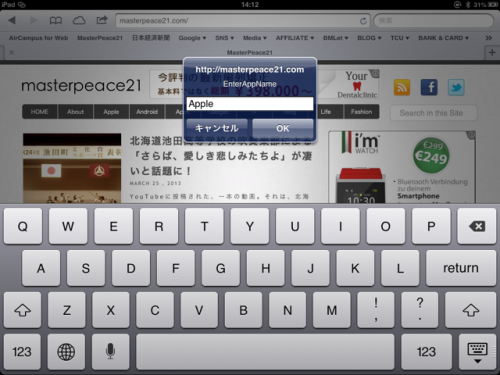
MusicLover
無料で洋楽が聞ける音楽アプリ

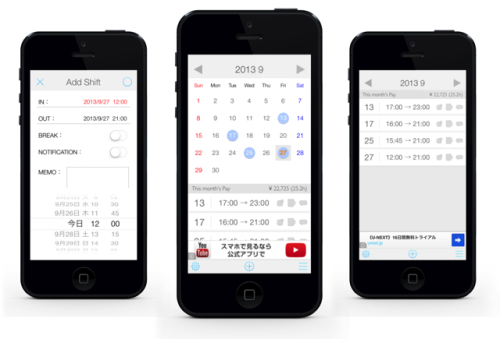
CalCal Lite
給料計算が出来るシフト管理アプリ
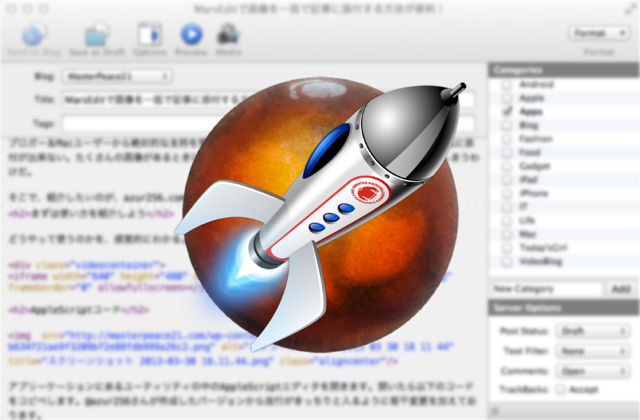
ブロガー&Macユーザーから絶対的な支持を受けているMarsEditですが、気に入らない点が画像を一気に添付が出来ない。たくさんの画像があるときに、一個ずつ添付していくのは大変時間の無駄だと感じてしまうわけだ。
そこで、紹介したいのが、azur256.comの@azur256さんが作ったAppleScriptだ!これを使えば、同じフォルダに格納された画像を一気にMarsEditに貼り付けてくれる。素晴らしいScriptだ!
どうやって使うのかを、感覚的にわかるように動画で紹介しよう。
アプリーケーションにあるユーティリティの中のAppleScriptエディタを開きます。開いたら以下のコードをコピペします。@azur256さんが作成したバージョンから改行がきっちりと入るように若干変更を加えております。
on run
	tell application "MarsEdit" to activate
	tell application "System Events"
		openUploadWindow() of me
		try
			set uploadWindow to getUploadWindow() of me
			click button 6 of uploadWindow
		on error
			openUploadWindow() of me
			delay 2
			set uploadWindow to getUploadWindow() of me
			click button 6 of uploadWindow
		end try
		set itemCount to getItemCount() of me
		if itemCount is not 0 then
			repeat with index from 1 to itemCount - 1
				selectItem(index) of me
				click button 5 of uploadWindow
				keystroke return
				keystroke return
				try
					openUploadWindow() of me
					delay 2
					set uploadWindow to getUploadWindow() of me
					click button 6 of uploadWindow
				on error
					openUploadWindow() of me
					delay 2
					set uploadWindow to getUploadWindow() of me
					click button 6 of uploadWindow
				end try
			end repeat
			selectItem(itemCount) of me
			click button 5 of uploadWindow
		end if
	end tell
end run
on openUploadWindow()
	tell application "MarsEdit" to activate
	tell application "System Events"
		key down {command}
		keystroke "3"
		key up {command}
	end tell
end openUploadWindow
on getUploadWindow()
	tell application "System Events"
		tell process "MarsEdit"
			set targetWindow to ""
			set currentWindows to windows
			repeat with currentWindow in currentWindows
				if (name of currentWindow as string is "Upload Utility") then
					set targetWindow to currentWindow
					exit repeat
				end if
			end repeat
		end tell
	end tell
	if targetWindow is "" then
		error "Can't find Upload Utility"
	else
		return targetWindow
	end if
end getUploadWindow
on getItemCount()
	tell application "System Events"
		tell process "MarsEdit"
			tell list 1 of scroll area 2 of scroll area 1 of browser 1 of splitter group 1 of group 1 of sheet 1 of window 1
				set lCount to count of UI elements
			end tell
		end tell
	end tell
	return lCount
end getItemCount
on selectItem(index)
	tell application "System Events"
		tell process "MarsEdit"
			select text field index of list 1 of scroll area 2 of scroll area 1 of browser 1 of splitter group 1 of group 1 of sheet 1 of window 1
			click button 1 of sheet 1 of window 1
		end tell
	end tell
end selectItem
コピペしたら、コードをアプリケーションとして書き出します。
これでScriptの準備は終わりです。
動画でも紹介したとおり、一括でアップロードしたい画像をフォルダにまとめて格納しておきます。そして、編集画面から
を押して、UploadUtilityを開き、ChooseFileから格納したフォルダを選択しておきます。そしたら、後はScriptを走らせるだけです。
以上がMarsEditの唯一の欠点を解消する方法でした。@azur256さんに感謝です(*´ω`*)

(via : 最近,気になったこと…)